GTX 1660 Ti runs Builder Simulator at approximately ~50 FPS at 1080p High settings — verdict: PLAYABLE. At 1440p: ~34 FPS (PLAYABLE). At 4K: ~15 FPS (CANT_RUN).
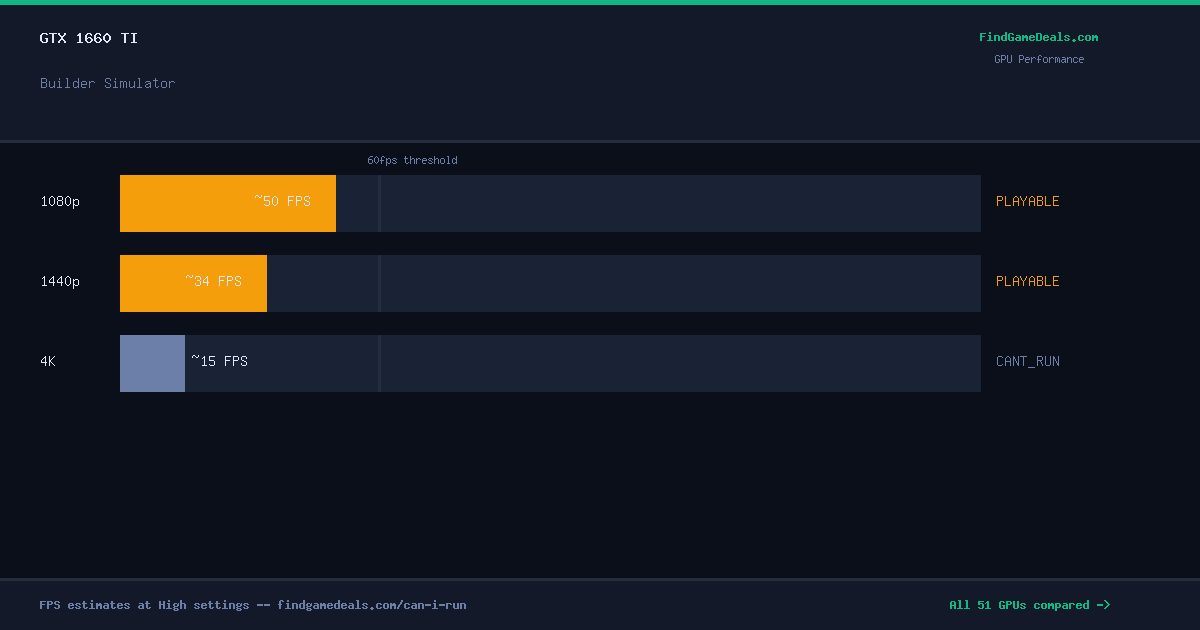
The GTX 1660 Ti runs Builder Simulator at ~50 FPS on 1080P High settings — within the 30–60 FPS playable range but below the 60 FPS smooth-play threshold. Switching from High to Medium settings typically recovers approximately 9 FPS on this GPU tier.
Builder Simulator GTX 1660 Ti Benchmark & FPS at 1080p, 1440p & 4K
Performance Optimizer
Live SimulationBest price now
Compare all GPUs for Builder Simulator
Frequently asked questions — GTX 1660 Ti & Builder Simulator
Can I run Builder Simulator on GTX 1660 Ti?
Yes. The GTX 1660 Ti delivers approximately 50 FPS in Builder Simulator at 1080p High settings. Frame rate is in the 30–60 FPS playable range. Switching to Medium settings recovers roughly 15–20% more FPS.
What FPS does GTX 1660 Ti get in Builder Simulator at 1440p?
The GTX 1660 Ti averages approximately 34 FPS in Builder Simulator at 1440p High settings — verdict: PLAYABLE. Playable at 1440p — consider lowering to Medium for a smoother experience.
Can GTX 1660 Ti run Builder Simulator at 4K?
The GTX 1660 Ti averages approximately 15 FPS in Builder Simulator at 4K High settings — verdict: CANT_RUN. 4K is not recommended on this GPU for this title. 1080p or 1440p is the better choice.
Is Builder Simulator worth buying right now?
The current best price for Builder Simulator is $5.16. FindGameDeals tracks price history across all major PC game stores and issues a BUY or WAIT verdict based on how the current price compares to the all-time low.
About Builder Simulator
Builder Simulator is the perfect game for those who want to build a house, from the ground up, one brick at a time. On easy, the game will guide you step by step and allow you to learn by showing you full instruction, but on hard you will get no help - instead rely on your builder skills and make everything yourself.
View all deals for Builder Simulator →